
Apply a promo coupon, prepaid coupon or spin reward
Redeem a Promo Coupon code, pay with a customer's Prepaid Coupon or apply a Spin & Win reward on a bill, and the rules each one follows.
- Who can use it
- Anyone who can make a bill; paying with a Prepaid Coupon needs "Redeem Prepaid Coupons
- Where to find it
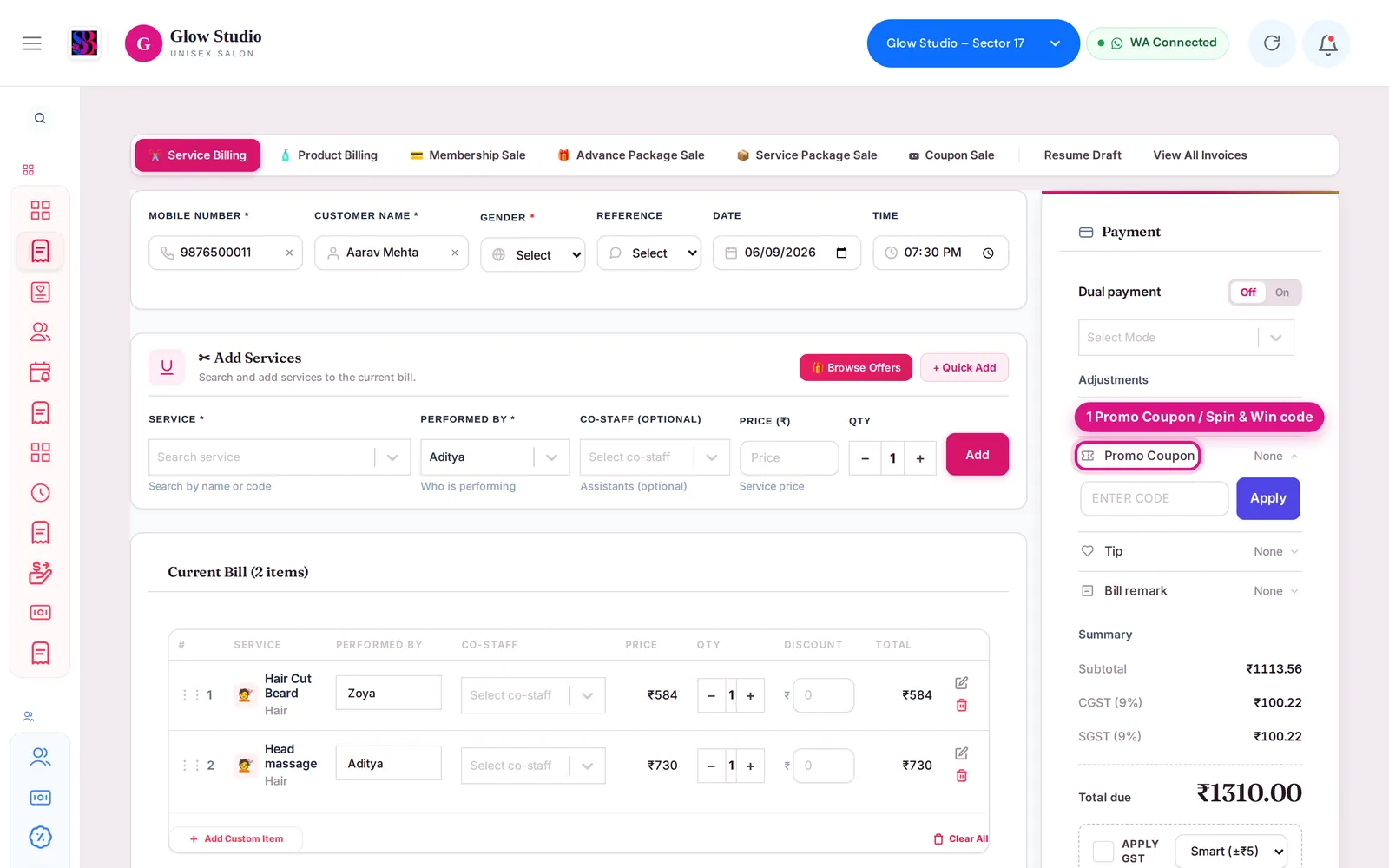
- Make A Bill → Service Billing → Payment panel → Adjustments → Promo Coupon
SalonBill has three kinds of codes and coupons you can use on a bill. They look similar but work differently.
What this feature does
| Type | What it is | Where you use it |
|---|---|---|
| Promo Coupon | A discount code | Adjustments → Promo Coupon |
| Spin & Win reward | A reward the customer won on your spin wheel | Same Promo Coupon box, or the Spin offer banner |
| Prepaid Coupon | Value the customer bought in advance | As a payment mode — Use coupon |
Who can use it
- Promo Coupon and Spin & Win: anyone who can make a bill.
- Prepaid Coupon payment: Owner/Admin, Co-owner, Manager, Accountant and Employee, through Redeem Prepaid Coupons.
Where to find it
Make A Bill → Service Billing → Payment panel. Promo Coupon is under Adjustments. The Prepaid Coupon and Spin offer boxes appear above it when the selected customer has one.
How to use it
Promo Coupon
- Select the customer and add the services.
- Open Promo Coupon, type the code in Enter code and click Apply.
- The Summary shows Promo Coupon (CODE) as a minus line. Click Remove to take it off.
Spin & Win reward
- Select the customer who won the reward. A Spin offer: banner shows the reward, its validity and code.
- Click Apply on the banner, or type the code in the Promo Coupon box.
- An orange note shows the amount off, "on regular-price services ₹…", any services it was Not applied to, and the rule. See Spin & Win rewards at billing.
Prepaid Coupon
- Select the customer. A 🎟 Prepaid Coupon available box shows the balance and expiry.
- If they have more than one, choose the coupon in the list.
- Click Use coupon. If the balance covers the bill, the whole bill is paid by the coupon. If not, Dual payment turns on — pick a mode for the rest (Split payment).
- The invoice shows Coupon Used and Coupon Balance Left.
Important rules and limits
Spin & Win
- Applies on regular/MRP prices only and cannot be combined with any other discount, promotional price, offer, combo or coupon.
- Services that are discounted, on a Current Offer, in a combo or package, or priced below the catalogue price get no reward. On a mixed bill, the reward is worked out only on the regular-price services.
- If you add a manual discount on top, the bill is refused: "Spin & Win cannot be combined with another discount…".
- The reward is re-checked when you change the bill and removed (with the reason) if it no longer fits.
- The minimum bill amount and validity of the reward still apply.
Promo Coupon
- Cannot be used on Combo services.
- Can be locked by a Current Offer: 🔒 Locked – Offer Price Applied.
Prepaid Coupon
- One coupon per bill, only for its own customer and outlet, and only while active and not expired.
- Only the unlocked balance can be used if the coupon was part-paid.
- Coupons limited to certain services cover only those services.
- Not available in Product Billing.
Common problems
"Invalid coupon code." or "Coupon has expired."?
Check the spelling, or the coupon has ended. Other messages: "Coupon usage limit reached.", "Coupon is not valid for this branch.", "This coupon code is restricted to a different customer account."
"Select the customer who won this spin offer first." / "This spin offer belongs to a different customer."?
Spin rewards work only for the customer who won them. Select that customer.
"Spin & Win applies on regular/MRP-price services only…"?
Every service on the bill is already discounted or on offer. Remove the other discount, or bill without the reward.
"This spin offer needs a bill of ₹… or more"?
The bill is below the reward's minimum.
More help: Coupon or reward not applying.
Last updated