
Memberships, Packages & Coupons
Pay a bill from the membership wallet
Use a customer's membership wallet or membership services on a bill, understand locked wallet amounts, and handle an expired membership.
- Who can use it
- Anyone who can make bills; expired-membership override is Owner/Admin only
- Where to find it
- Make A Bill → Payment panel → Wallet; customer panel → Redeem Package
When a customer has a membership, the money or services in it can pay for today's bill. SalonBill checks the balance, the payment status and the expiry date for you.
What this feature does
- Wallet (Amount Based membership): the bill, or part of it, is paid from the customer's wallet balance.
- Membership services (Service Based plans): included services are added to the bill and counted against the sittings left.
Who can use it
Anyone who can make a service bill. Only the Owner/Admin can use an expired membership, and only with a written reason. Co-owners and Managers cannot override an expiry.
Where to find it
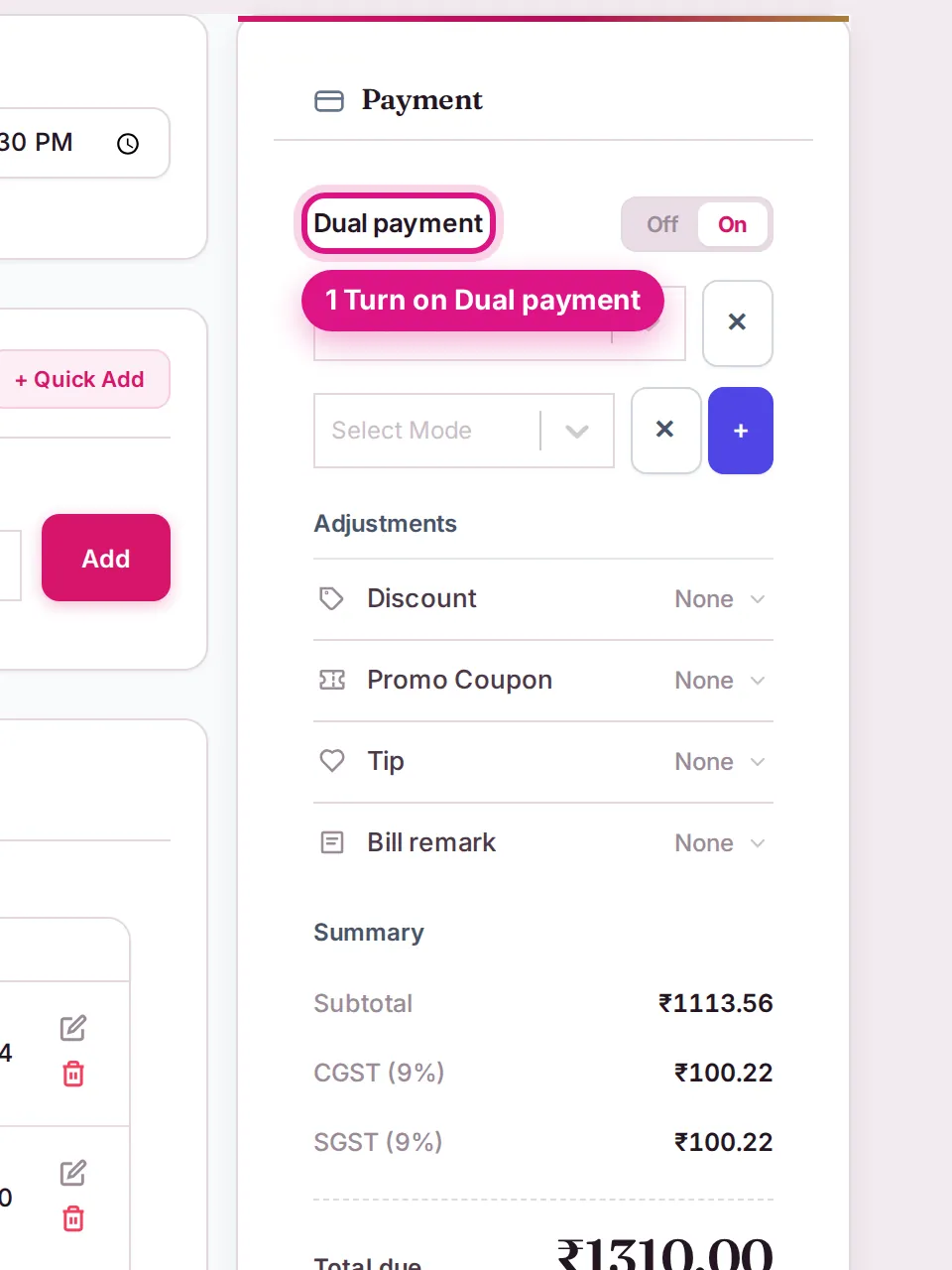
Make A Bill. After you select the customer, the payment panel shows 💰 Wallet Balance, and the payment mode list shows Wallet (₹balance). For services, use 🔵 Redeem Package in the customer panel.
How to use it
Pay from the wallet
- Add the customer and the services as usual (Create a service bill).
- In the payment mode, choose Wallet (₹…). The summary shows a 👛 Wallet Payment line.
- If the wallet does not cover the whole bill, turn Dual payment on and take the rest by cash, UPI or card.
- Save the bill. The wallet balance goes down by the amount used.
Use membership services
- Click 🔵 Redeem Package in the customer panel.
- Under 1. Select Package, pick the membership or package.
- Under 2. Select Included Services, choose the services and quantity.
- Click Add To Cart, assign the staff and save.
When the wallet is partly locked
If the customer has not fully paid for the membership, the panel shows 🔒 Membership payment pending — redemption limited to amount paid, with the package value, amount paid, outstanding and Wallet unlocked now / Locked amounts. Only the unlocked part can be used. Collect the outstanding membership payment to unlock the full value.
Expired memberships
| Who | What happens |
|---|---|
| Manager and other staff | Wallet is blocked with "This membership expired on (date). You do not have permission to redeem an expired membership." Bill with Cash / UPI / Card, or ask the Owner/Admin. |
| Owner/Admin | An amber note says the membership expired and needs your override. On saving you confirm, then give a reason. |
Override an expired membership (Owner/Admin)
- Save the bill. A box asks: "This membership expired on (date). Do you want to override the expiry and continue?"
- Click Override & Continue.
- Type the Reason for Expiry Override (at least 20 characters).
- Click Confirm & Bill.
The membership stays expired. This is a one-time permission for this bill. It is recorded in the Audit Trail and on the customer's timeline as ⏳ Expired Membership Override, with who approved it and the reason.
Important rules and limits
- Cash, UPI and card payments are never blocked because a membership has expired.
- A bill with a Service Combo cannot be paid from the wallet. Bill the services individually instead.
- On a bill with a Current Offer, wallet and package payments are blocked unless the Owner turned on Allow Membership/Wallet Redemption on Offer in Offer Settings.
- A frozen membership cannot be used until it is unfrozen.
Common problems
"Wallet unlocked now: ₹0"?
The membership is not fully paid. Collect the pending amount from Pending Outstanding, then bill again.
A Manager gets an error when choosing Wallet?
The customer's wallet belongs only to an expired membership. Use another payment mode or ask the Owner/Admin.
"Combo pricing is not available with Membership Wallet"?
Remove the combo, or take payment by cash, UPI or card.
Last updated