
Charge GST on bills
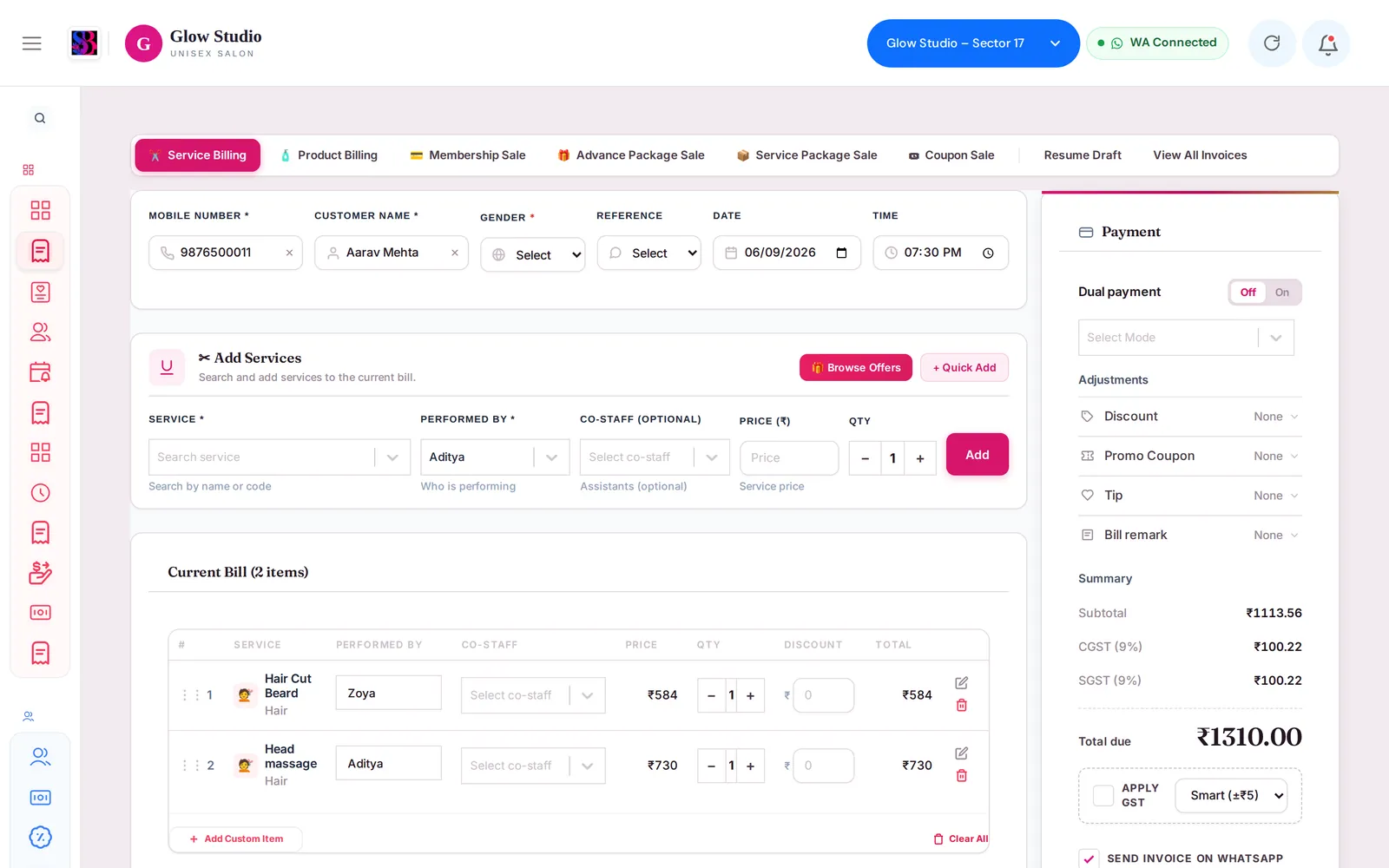
Set your GST rate, choose whether GST is included in the price or added on top with Apply GST, and see how CGST and SGST show on bills.
- Who can use it
- Owner/Admin and Co-owner (GST settings); anyone making a bill (Apply GST tick box)
- Where to find it
- Settings → Organisation Settings → Tax & GST Configurations; Make A Bill → Payment panel → Apply GST
SalonBill works out GST on every service bill using your outlet's GST rate, and splits it into CGST and SGST.
What this feature does
On the bill you choose between two ways of charging GST:
| Apply GST | What happens | Total |
|---|---|---|
| Unticked (default) | Your prices already include GST. SalonBill takes the GST out of the price and shows it as CGST and SGST. | Stays the same as the price |
| Ticked | GST is added on top of the price. | Price + GST |
The Summary shows CGST and SGST, each at half your rate (for example 9% + 9% for 18%).
Who can use it
- GST settings: Owner/Admin and Co-owner (Settings).
- Apply GST: anyone making a bill.
Where to find it
- Settings → Organisation Settings → Tax & GST Configurations: Enable GST calculation and GST Tax Rate (%).
- Your GSTIN: GSTIN ID and Show GSTIN in Organisation Settings, for printing on the invoice.
- On a bill: Apply GST, below the Summary in the Payment panel.
How to use it
- Go to Settings → Organisation Settings.
- Turn Enable GST calculation ON and enter the GST Tax Rate (%) (for example 18).
- Enter your GSTIN ID and turn Show GSTIN ON if you want it on invoices. Save.
- On a bill, leave Apply GST unticked if your menu prices include GST, or tick it to add GST on top.
- Check Total due, then save.
Important rules and limits
- GST is charged on the amount after discount.
- No GST is charged on the part paid from the Wallet, Package or Advanced Package — the tax rows are hidden for those bills.
- Complimentary bills have no GST, because nothing is payable.
- The round-off box next to Apply GST — Smart (±₹5), Nearest ₹1, Nearest ₹5, Nearest ₹10 — rounds the final total.
- With Enable GST calculation OFF, no GST is calculated on bills.
- The invoice shows the taxable value, CGST and SGST.
Common problems
The total did not change when I ticked Apply GST?
Check the rate in Settings. If GST is turned off, no GST is added.
Why is there no GST on this bill?
It is paid from a wallet or package, or it is a complimentary bill.
My GSTIN does not print?
Fill GSTIN ID and turn Show GSTIN ON. See also Invoice Template.
Last updated
Still stuck?Our team can help on WhatsApp or email.
Contact support