
Read your Home Dashboard
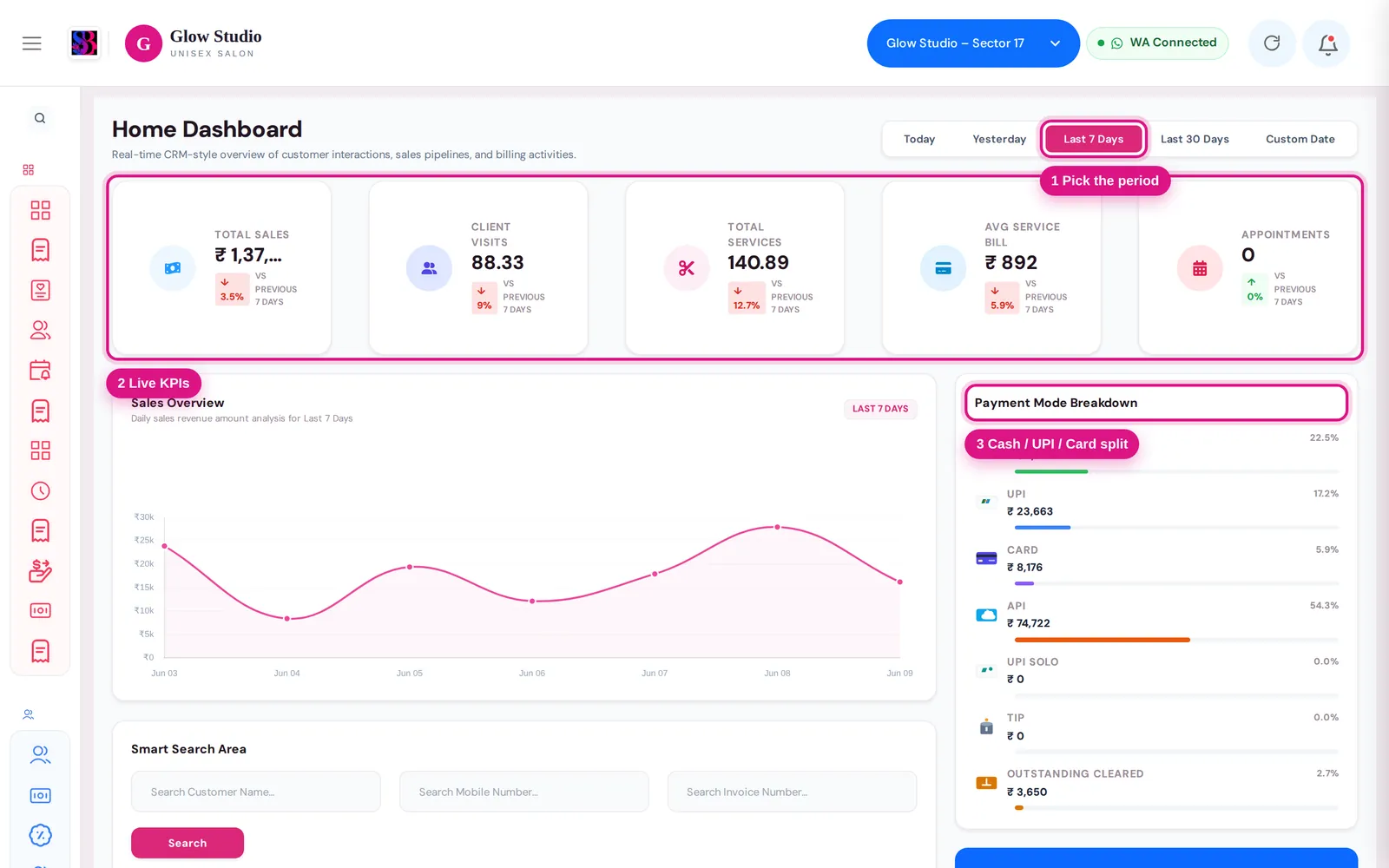
Understand the Dashboard – periods, Total Sales, payment mode breakdown, client visits, performance cards and the customer feed with search.
- Who can use it
- Owner/Admin, Co-owner, and staff with "View dashboard
- Where to find it
- Main Menu → Dashboard
The Dashboard is the first screen after you sign in. It shows how the selected outlet is doing for the period you choose: sales, how customers paid, how many clients visited, and a live feed of bills and sales.
What this feature does
- Period tabs choose the time range for every card on the page.
- Total Sales with a trend against the previous period.
- Payment Mode Breakdown shows how the money came in.
- Clients Overview and Performance Overview count visits, clients, invoices and services.
- Summary cards for Services, Expenses, Packages and Product.
- Modern Customer Feed lists every bill and sale in the period, with search and filters.
Who can use it
Owner/Admin, Co-owner, and Managers or Accountants whose role has View dashboard on the Permissions page. Some cards may not be shown for every role.
Where to find it
Click Dashboard at the top of the Main Menu, or click the logo in the top bar. Make sure the right outlet is selected in the top bar.
How to use it
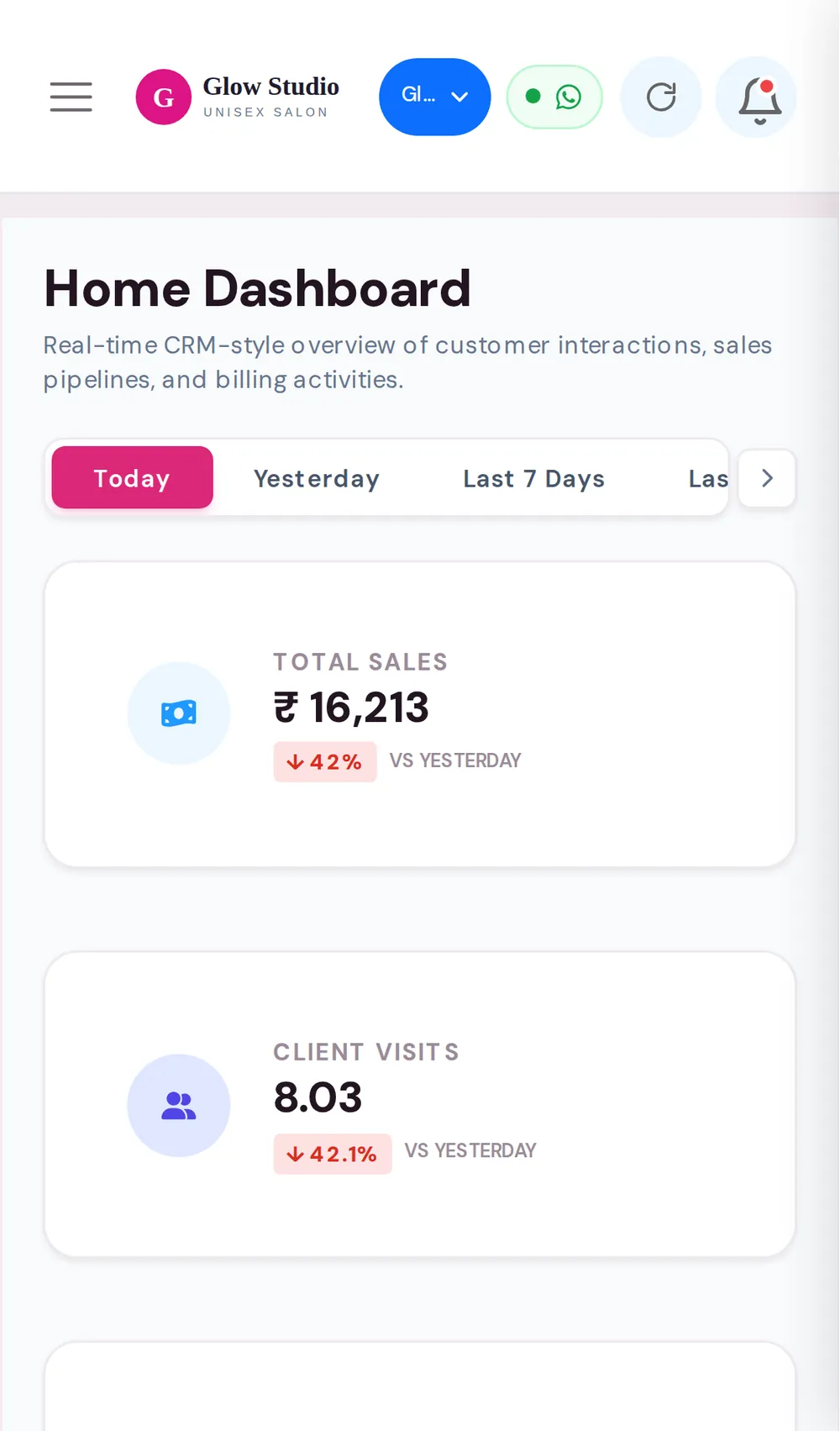
- Pick a period: Today, Yesterday, Last 7 Days, Last 30 Days or Custom Date.
- For Custom Date, choose a Start Date and End Date.
- Read Total Sales. The green or red badge compares it with the previous period (for example "vs previous 7 days").
- Check the Payment Mode Breakdown to match your cash and UPI collections.
- Scroll down to the Modern Customer Feed to see the individual bills.
SalonBill remembers the period you picked on that device the next time you open the Dashboard.
What the cards mean
Payment Mode Breakdown
| Tile | Meaning |
|---|---|
| Cash, UPI, Card, API, UPI Solo | Money received in each payment mode, with its share of the total |
| Tip | Tips recorded on bills |
| Outstanding Due | Amount left unpaid on bills and sales made in this period |
| Outstanding Collected | Money received in this period against older dues |
When old dues were collected, a green Outstanding Collections box shows the amount and how it was paid. This money is already part of Total Sales; the box just makes it visible.
Clients Overview
| Card | Meaning |
|---|---|
| Client Visits | Service visits in the period. Bills that share one job card count as one visit. |
| Unique Clients | Different registered clients (shared walk-in records are left out) |
| New Clients | Clients whose first-ever service visit was in this period |
| Repeat Clients | Clients who had visited before |
| Repeat Visits | Visits by clients who had visited before |
| Membership / Pkg Visits | Visits that used a membership wallet, advance package or service package |
Product-only bills, membership or package sales and outstanding receipts are not counted as visits.
Performance Overview
- Service Invoices – service bills in the period.
- Services Done – services performed on those bills (quantity counted).
- Avg Service Bill – service revenue divided by paid service invoices.
Modern Customer Feed
- Search by customer name, mobile number or invoice number.
- Switch between All Feed, Membership Sales, Coupon Sales, Product Sales, Outstanding Payments and Other Activities.
- Use the quick filters, for example 🎁 Complimentary (CMP) to see free bills only, or ⚠️ Invalid Discount for bills where a discount was given on a membership or package.
Important rules and limits
- Every number is for the selected outlet only. Switch the outlet in the top bar to see another branch.
- Bills count on their billing date, including backdated bills.
- Deleted bills are not counted.
- For a full day-end or month-end report with export, use the Management report or Business analytics.
Common problems
Total Sales doesn't match my cash drawer?
Total Sales includes every payment mode and also outstanding money collected. Compare only the Cash tile with the drawer, and see Cash Drawer.
The numbers look old?
Press the Refresh button in the top bar, and check that the period and the outlet are the ones you expect.
Why is "Client Visits" lower than the number of bills?
Bills on the same job card count as one visit, and product-only or package-sale bills are not visits.
Last updated