
See where your staff are with the Live Tracker
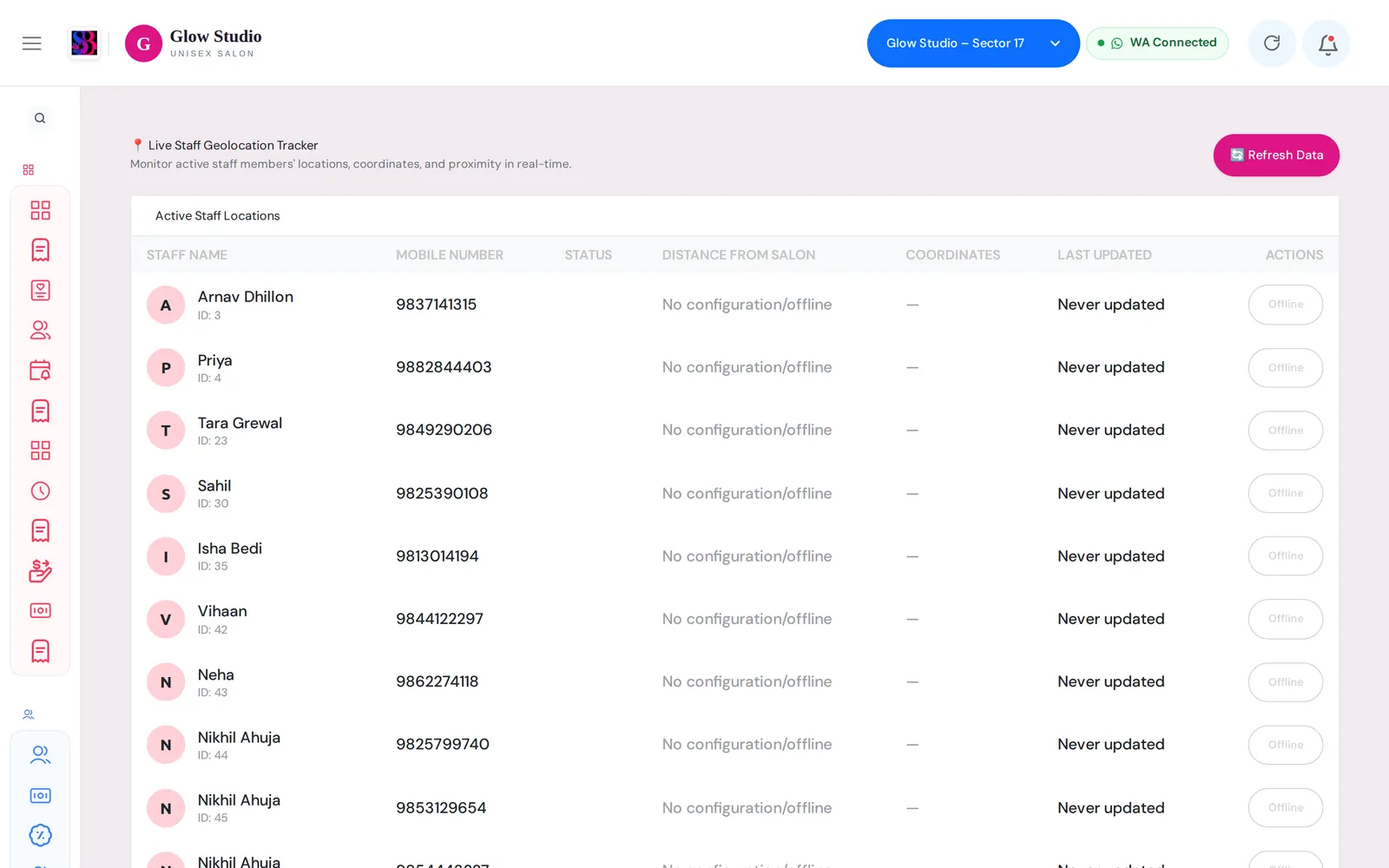
View each punched-in staff member's last location, distance from the salon and Inside / Outside status, refreshed every 30 seconds.
- Who can use it
- Owner/Admin and Co-owner
- Where to find it
- Team Management → Live Tracker
The Live Tracker shows, for every staff member of the outlet, where their phone last reported its location and whether they are inside the salon right now.
What this feature does
When staff are punched in on the SalonBill mobile app, the app sends their location in the background. The Live Tracker lists each person with:
- Status — Inside Salon, Outside or Offline
- Distance from Salon — measured from the salon location saved in attendance settings
- Coordinates and Last Updated time
- Navigate / View Map — opens the location in Google Maps
The list refreshes automatically every 30 seconds. Use Refresh Data to update it at once.
Who can use it
Only the Owner/Admin and Co-owner can open the Live Tracker. Employees, Managers and Accountants appear in the list (they are the people who punch attendance) but cannot see it.
Where to find it
Team Management → Live Tracker.
How to use it
- Make sure the salon location and allowed radius are saved: Team Management → Attendance → Geo-Fencing Settings (see Attendance and GPS).
- Make sure Enable Background Location Tracking for Staff is switched on in the same settings.
- Staff punch in on the SalonBill mobile app and allow location access.
- Open Team Management → Live Tracker to see everyone's status.
How the status is decided
| Status | Meaning |
|---|---|
| Inside Salon | Punched in, location received in the last 10 minutes, and within the allowed radius |
| Outside | Punched in, location received in the last 10 minutes, but farther than the allowed radius |
| Offline | Not punched in today, punched out, or no location received for more than 10 minutes |
Important rules and limits
- Locations come only from the SalonBill mobile app on the staff member's phone. The web app does not track anyone.
- Staff who are not punched in always show as Offline, even if their phone has sent a location earlier.
- If no salon location is saved, a punched-in, online person is shown as Inside Salon and no distance is calculated.
Common problems
Everyone shows "No configuration/offline"?
Nobody is punched in yet today, or background tracking is switched off. Check Enable Background Location Tracking for Staff and ask staff to punch in from the mobile app.
One person always shows Offline?
Their phone has not sent a location for 10 minutes. Ask them to open the SalonBill app, keep location permission set to Allow all the time (Android) or Always (iPhone), and keep battery saver from closing the app.
The distance looks wrong?
Check the salon latitude, longitude and radius in Geo-Fencing Settings. Indoor GPS can be off by 20–50 metres, so keep the radius a little larger than the salon.
Last updated