
Track staff performance
Compare each staff member's service revenue, clients served, services done and incentive for any period, then open one person's full breakdown.
- Who can use it
- Owner/Admin, Co-owner, Manager (whole team); Employees see only their own figures in the mobile app
- Where to find it
- Team Management → Staff Performance
Staff Performance is the team leaderboard: who brought in how much service revenue, how many clients they served and what incentive they earned.
What this feature does
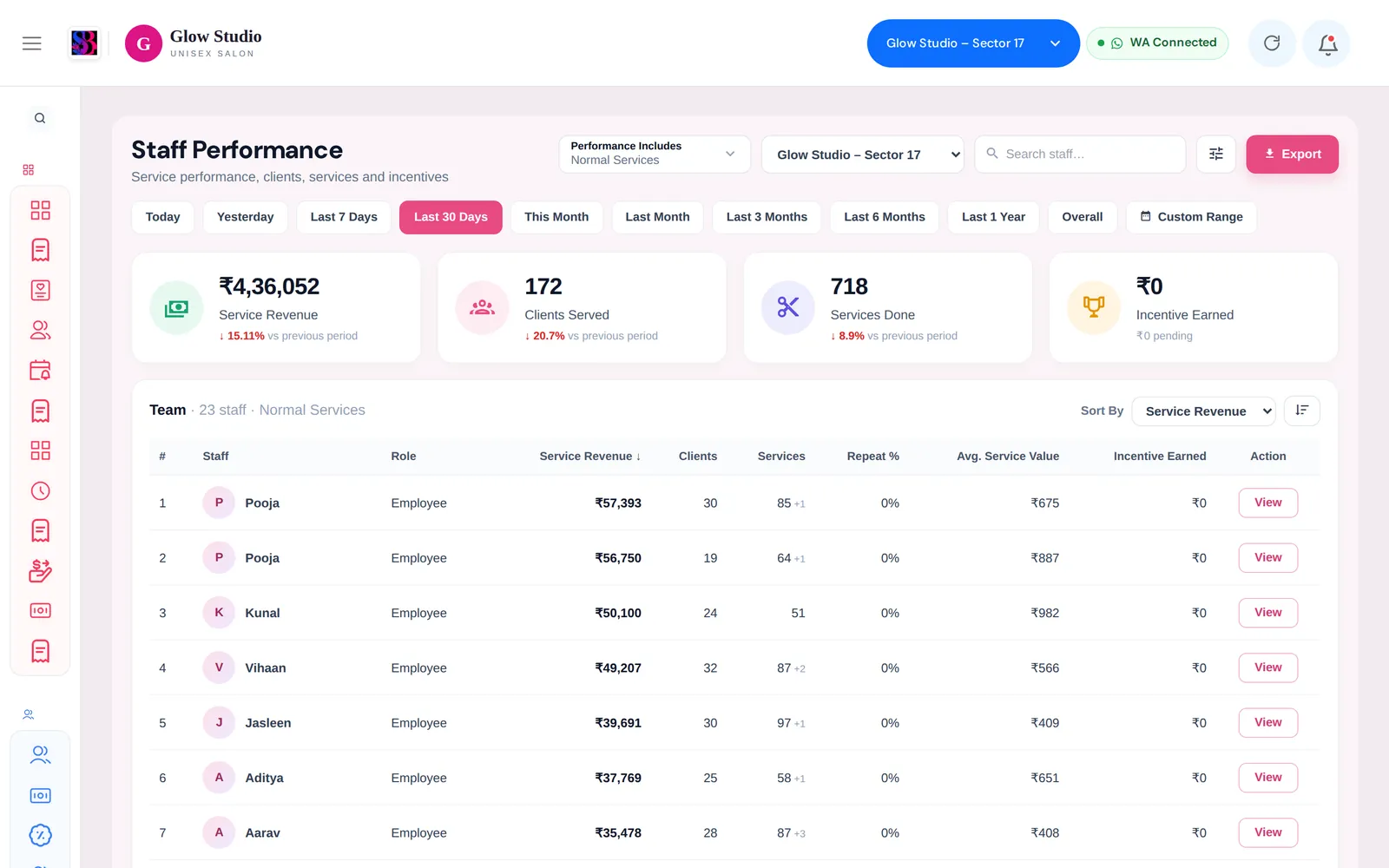
For the period you choose, SalonBill shows outlet totals at the top (Service Revenue, Clients Served, Services Done, Incentive Earned) and a Team table with one row per staff member: role, service revenue, clients, services, repeat %, average service value and incentive earned. Click View on a row to open that person's detail.
Who can use it
- Owner/Admin, Co-owner and Managers see the whole team.
- Employees cannot open this page on the web. They see their own figures in the SalonBill mobile app and in their personal report link.
Where to find it
Team Management → Staff Performance.
How to use it
- Pick a period: Today, Yesterday, Last 7 Days, Last 30 Days, This Month, Last Month, Last 3 Months, Last 6 Months, Last 1 Year, Overall or Custom Range.
- Use Performance Includes to choose which work counts — for example only Normal Services, or also membership, package and product work.
- Sort the table with Sort By, or search for a staff member.
- Click View to see one person's services, clients and incentive lines.
- Click Export to download the table.
How sales are counted
- A service is credited to the main staff member on the bill line. Co-staff (helpers) share the incentive, not the sale.
- A bill's total (after discounts) is spread across its service lines, so service revenue matches what the customer actually paid.
- Complimentary bills count as ₹0.
- Membership, package and product work are shown separately so they are never double counted with normal services.
Important rules and limits
- Incentive figures come from the incentive engine. Incentives held because a customer has not finished paying for a membership are shown as pending, not earned.
- Deleted bills are not counted.
Common problems
A staff member's sales look lower than the bills they did?
Check whether they were the main staff or a co-staff on those lines — only the main staff gets the sale. Also check the Performance Includes filter.
Numbers differ from the Management Report?
Make sure both use the same period and the same work types. Outstanding money collected later is income for the salon, but it is not counted again as staff work.
Last updated