
Collect and read customer feedback
Learn how clients rate their visit from the WhatsApp invoice link, and how to read ratings, tags, complaints and comments on the Feedback page.
- Who can use it
- Owner/Admin
- Where to find it
- Administration → Feedback
After each visit, clients can rate their experience in a few taps. Their answers come straight into the Feedback page, sorted by outlet, so you can spot happy clients and complaints quickly.
What this feature does
- When an invoice is sent on WhatsApp, the message includes a Give Feedback link.
- The client opens it and sees How was your experience? They pick a rating: Poor, Fair, Good, Very Good or Excellent.
- They can tick experience tags, such as Friendly Staff or Clean Salon, and add Additional Comments (Optional).
- They tap Submit Feedback.
- The feedback is saved against that bill and appears on your Feedback page.
A rating of Poor or Fair is saved as a Complaint. Other ratings are saved as Feedback.
Who can use it
Only the Owner/Admin sees the Feedback page. The page is part of the paid plan features. On a plan without it, the link opens the Subscription page.
Where to find it
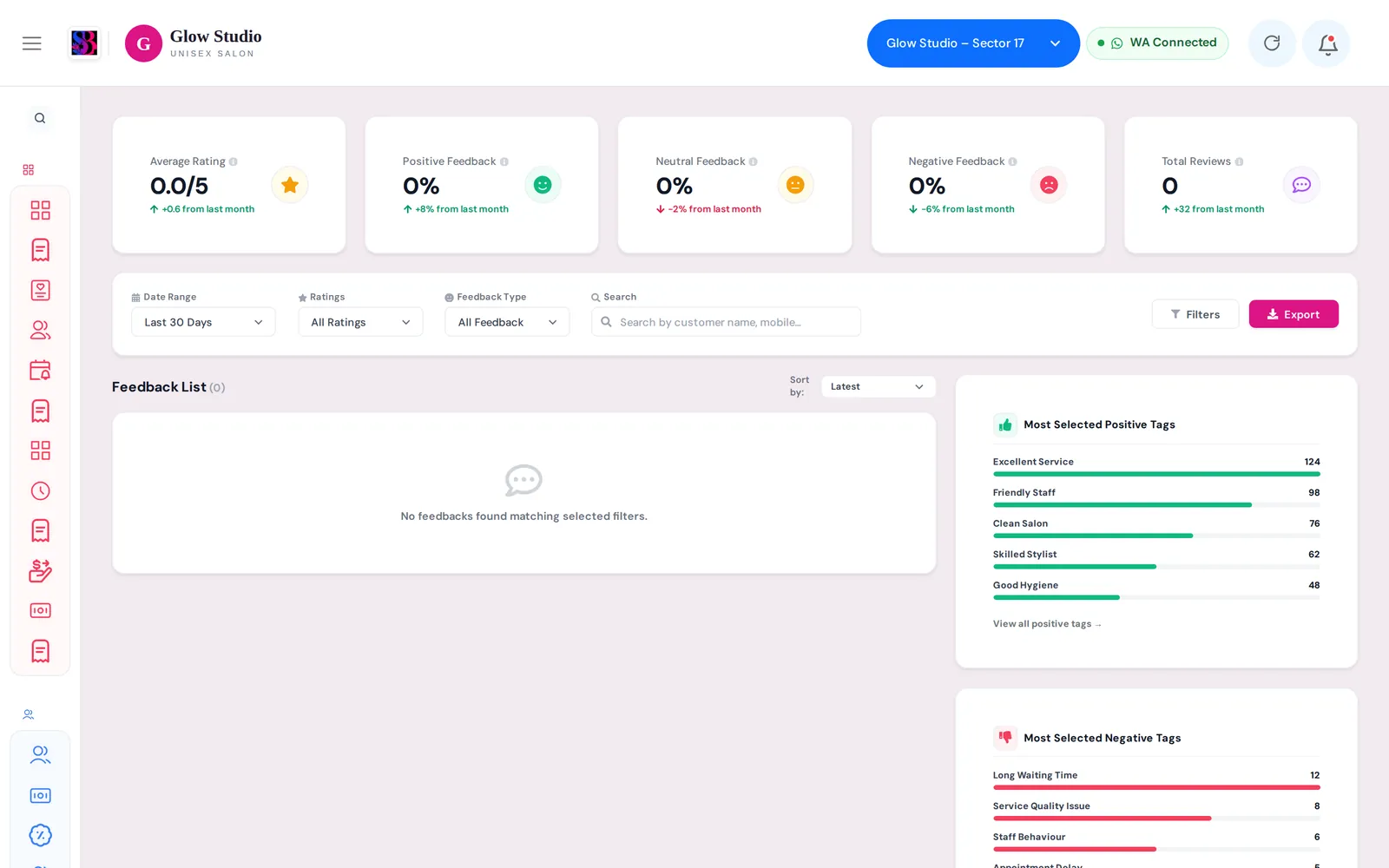
Go to Administration → Feedback in the side menu.
How to use it
- Choose a Date Range: Overall, Today, Yesterday, Last 7 Days, Last 30 Days, This Month or Custom Date Range.
- Filter by Ratings (5 Stars down to 1 Star) and by Feedback Type (All Feedback, Feedback Only or Complaint Only).
- Use Search to find a client.
- Change the order with Sort by: Latest, Oldest, Highest Rating or Lowest Rating.
- Click a review to see the Service Booked, Visit Date & Time, Selected Experience Tags and Customer Message. Click Call Customer to call the client.
- The summary cards show the Average Rating, positive, neutral and negative counts and Total Reviews. The side panels list the Most Selected Positive Tags and Most Selected Negative Tags.
Important rules and limits
- Each piece of feedback belongs to the outlet where the bill was made. You see only your own outlets' feedback.
- Feedback only comes from real clients through the invoice link. SalonBill never adds sample reviews.
- Clients can give feedback only if they receive the invoice on WhatsApp. WhatsApp must be connected for your outlet.
Common problems
The Feedback page is empty?
No client has submitted feedback in the selected period yet. Choose Overall to see everything. Check that invoices are going out on WhatsApp, because the feedback link comes with them. See Send and print invoices.
I can't see Feedback in the menu?
Only the Owner/Admin login sees it. It is also hidden on plans without this feature.
Clients say the invoice message has no feedback link?
The invoice was probably not sent on WhatsApp, or WhatsApp is disconnected. See WhatsApp messages not sending.
Last updated