
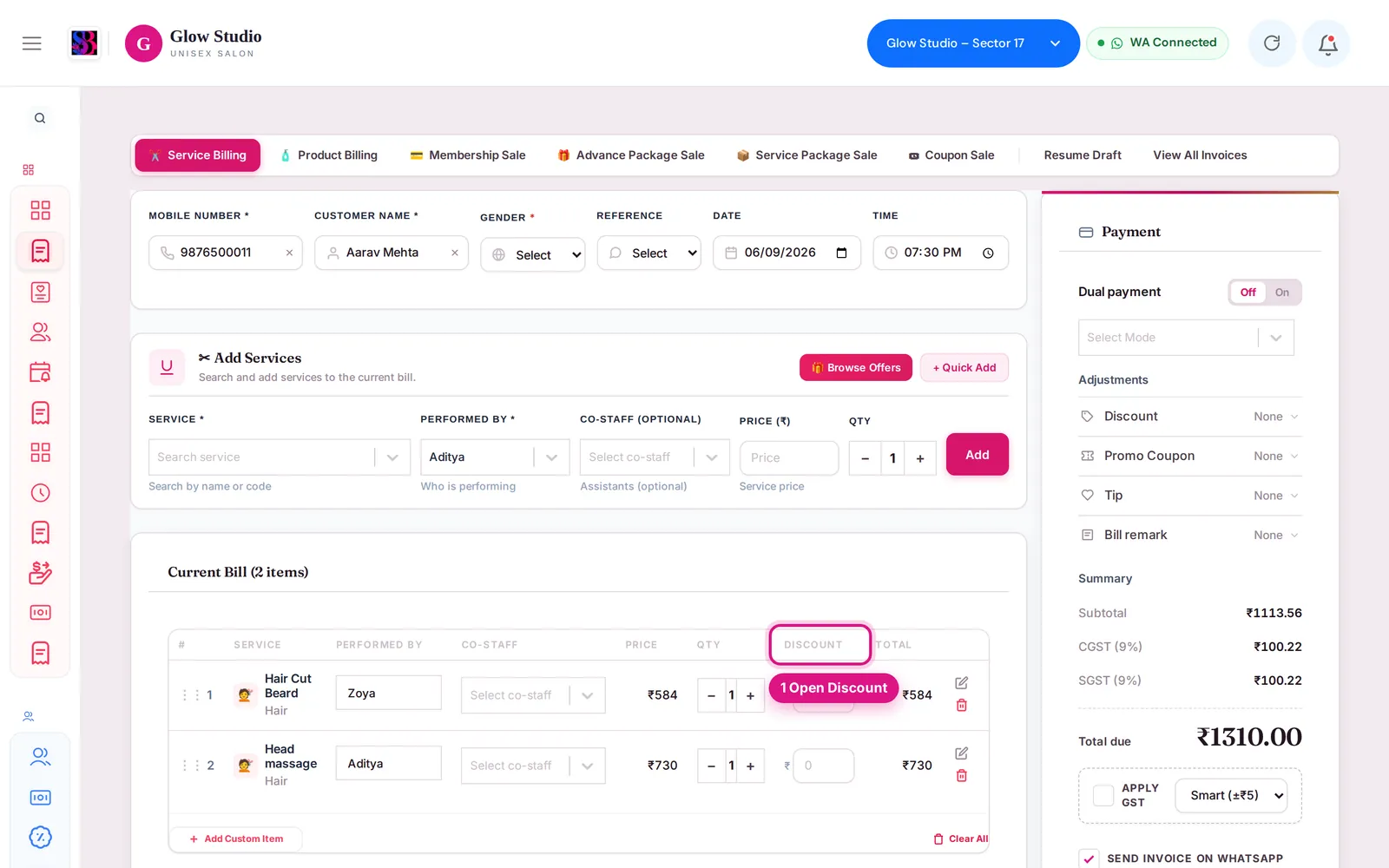
Discount is blocked on a bill
Why SalonBill stops a discount on a bill - role discount limit, line discounts, offers, combos and plan services - and what to do about each message.
- Who can use it
- Everyone who makes bills; the Owner/Admin sets the limit
- Where to find it
- Make A Bill → Discount; Settings → Additional Settings → Discount Limits
Every outlet has a maximum discount for staff. SalonBill checks the total discount on a bill against it, both on the screen and again when the bill is saved, so it cannot be bypassed.
What is the limit for my role?
- Owner/Admin: no limit.
- Other staff: the outlet's Maximum Discount (%), set by the Owner/Admin in Settings → Additional Settings → Discount Limits. If it is not set, the limit is 50%.
- Managers are never above 50%, even if the outlet limit is higher.
I see "Maximum discount allowed is … Reduce it to save."?
The number you typed is more than your role may give on this bill. The message shows the maximum in % or ₹. Lower the discount to that figure or less. The save buttons stay disabled until you do.
I see "Discount not allowed: … is above the maximum your role may still give on this bill"?
Part of your limit is already used, for example by a service-line discount or a Current Offer saving. The message says how much was already given. Reduce the bill discount, or remove the line discount.
I see "Discount limit exceeded: this bill has a total discount of …"?
The bill was checked again when saving and the total of all discounts (bill discount, special discount and service-line discounts) is above your role's limit. Reduce the discount and save again.
"🔒 Discounts are not allowed on membership / package services."?
Services paid from a membership or package are already covered by the plan, so no extra discount can be added. Remove the discount from those services.
"🔒 Combo price is final" or "🔒 Offer price is final"?
Combo services and Current Offer services already have a special price. Extra discounts are not allowed unless the Owner turns on Allow Additional Discount in the offer's settings.
The Discount box says "Disabled"?
The outlet setting Allow manual overrides is set to Restrict to predefined coupon codes in Settings → Organisation Settings. Use a promo coupon, or ask the Owner/Admin to allow manual discount input.
Does a Spin & Win reward count towards my limit?
No. A valid Spin & Win reward is an approved discount and does not use up your limit. It also cannot be combined with another discount. See Coupon or reward not applying.
I need to give a free service?
Use a complimentary bill instead of a 100% discount. See Complimentary bills.
Last updated