
Staff are not getting the daily WhatsApp report
Find out why a staff member did not get their nightly WhatsApp report - master switch, their own switch, mobile number, status and send history.
- Who can use it
- Owner/Admin, Co-owner, Manager
- Where to find it
- Team Management → Staff → WhatsApp Daily Reports
Each evening between about 10:00 pm and 11:30 pm, SalonBill sends every eligible staff member a WhatsApp link to their own performance report. If someone did not get it, open Team Management → Staff and check the steps below.
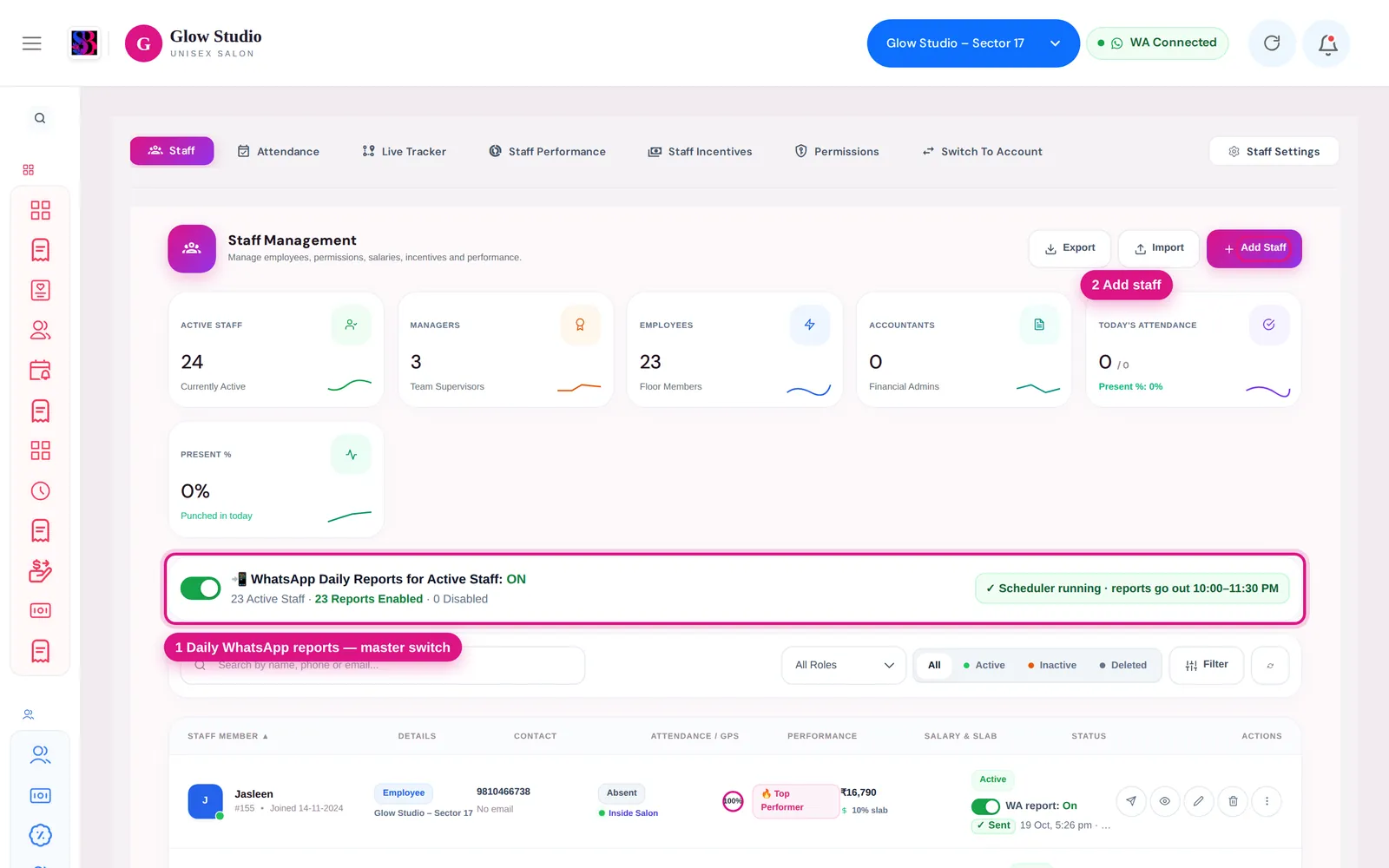
Is the master switch ON?
At the top of the staff list, WhatsApp Daily Reports for Active Staff must be ON. When it is OFF, nobody gets the report and rows show "Master OFF — not sending". Only the Owner/Admin and Co-owner can change it.
Is the staff member's own switch On?
Each row has WA report: On/Off under the status. If it is Off, that person is left out. Switch it On.
Does the staff member have a mobile number?
A valid 10-digit mobile number must be saved on their staff profile. The summary bar counts staff with "no mobile", and the row shows "No mobile saved". Edit the staff member and add the number.
Is the staff member active?
Inactive, deleted and suspended staff never get the report. Only Employees and Managers still assigned to this outlet receive it. Check the Active / Inactive pill on their row.
What do Sent, Failed, Missed and Not sent mean?
Click the report status on the staff row to open the history.
| Status | Meaning | What to do |
|---|---|---|
| Sent | WhatsApp accepted the message | Ask the staff member to check the outlet's chat |
| Failed | WhatsApp did not send it; the reason is shown | Usually WhatsApp is not connected or paused. See WhatsApp messages not sending |
| Missed | It could not be sent within about 4 hours of its time, so it was dropped (no messages in the middle of the night) | Send it by hand (see below) |
| Not sent | The person was skipped; the reason is shown, such as "Daily report is turned off", "No valid mobile number saved" or "Staff member inactive" | Fix the reason shown |
The bar says "Automatic sending is not running on the server"?
The nightly sending service has not run recently, so automatic reports are not going out. Manual sends still work. Contact SalonBill support.
A "Sent" date is shown in amber with ⚠?
The last successful send is more than 36 hours old, so recent reports did not go out. Check the history for Failed or Missed entries.
How do I send the report now?
Click the green Send WhatsApp Summary button (paper-plane icon) on the staff row and choose Today, Yesterday, Last 7 Days or Last 30 Days.
The staff member got the message but the link does not open?
The link may have been revoked or regenerated, or the person is no longer active. Open their report history, check the link, and use Regenerate if needed. See Staff report link.
Last updated