
Give a discount and understand discount limits
Add a % or ₹ discount to a bill or a single service, learn the maximum discount for each role and what the blocked-discount messages mean.
- Who can use it
- Anyone who can make a bill; the limit depends on role (Owner/Admin and Co-owner have no limit)
- Where to find it
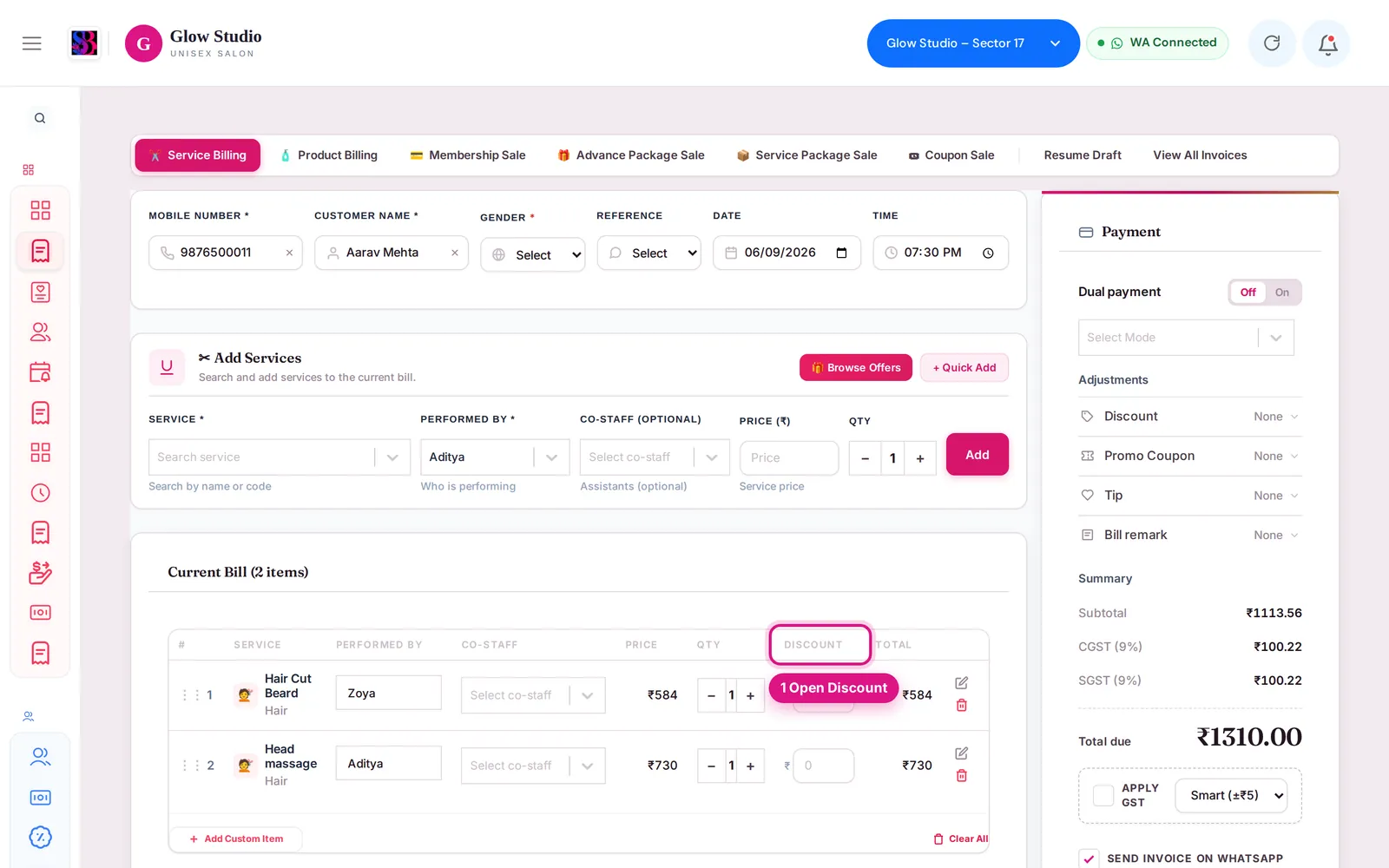
- Make A Bill → Service Billing → Payment panel → Adjustments → Discount
You can give a discount on the whole bill or on a single service. SalonBill checks the total discount against the maximum allowed for your role, so a bill can never be saved with more off than you are allowed to give.
What this feature does
There are two places to enter a discount:
| Where | What it does |
|---|---|
| Adjustments → Discount (Payment panel) | A bill discount, as % or ₹ |
| Discount column in the Current Bill list | A discount on one service line, in ₹ |
Both count towards your limit, together with any Current Offer saving already on the bill.
Who can use it
| Role | Maximum total discount |
|---|---|
| Owner/Admin, Co-owner | No limit (up to 100%) |
| Manager | The outlet's maximum, but never more than 50% |
| Other staff (Accountant, Employee …) | The outlet's maximum (50% if not set) |
Where to find it
Make A Bill → Service Billing → Payment panel → Adjustments → Discount. The outlet's maximum is set by the Owner/Admin in Settings → Additional Settings → Discount Limits → Maximum Discount (%).
How to use it
- Add the services to the bill.
- Open Discount under Adjustments.
- Click % or ₹ and type the value. The Summary shows the discount as a minus line.
- For one service only, type the amount in that row's Discount column instead.
- Save the bill.
Important rules and limits
- The limit applies to the total discount: service-line discounts + bill discount + any Current Offer saving. A line discount uses up part of what you can still give on the bill.
- If you type more than allowed, the box turns red and saving is blocked until you reduce it.
- The bill discount cannot be more than 100% or more than the subtotal.
- Combo prices are final. On a bill with a combo, the discount applies only to the normal services.
- If the bill uses a Current Offer that does not allow extra discount, the Discount shows 🔒 Locked – Offer Price Applied.
- The Discount is hidden when the bill is paid from the Wallet or Package.
- The Owner/Admin can switch discounts off for the outlet in Settings → Organisation Settings (Enable Bill Discounts), or allow only coupon codes (Restrict to predefined coupon codes).
- A Spin & Win reward used on the bill does not count against your limit.
- A complimentary (free) bill is not a discount and has its own approval — see Complimentary bills.
Messages you may see
| Message | Meaning |
|---|---|
| "Maximum discount allowed is … on a ₹… bill. Reduce it to save." | What you typed is above your remaining allowance. Line or offer discounts already given are listed in brackets. |
| "Total discount ₹… (…%) on ₹… of services … The maximum for your role is …% (₹…) in total. Reduce the discount to save." | Line + bill + offer discounts together are over your limit. |
| "Discount limit exceeded: this bill has a total discount of ₹… The maximum allowed for your role is …%" | The server refused the bill for the same reason. |
| "Discount cannot exceed 100%" / "Discount cannot exceed subtotal" | The value is larger than the bill. |
Common problems
Why can I not give 60% when the setting says 60%?
You are a Manager. Managers are always capped at 50%. Ask the Owner/Admin to bill it.
The discount was fine, then became blocked when I added a line discount?
Line discounts count towards the same total. Reduce one of them. See Discount blocked.
Last updated