
Job card statuses and the Job Cards directory
Understand Open, In Service, Completed, Billed, Partially Billed, Cancelled and Deleted job cards, and how to search, edit, clear or delete a card.
- Who can use it
- Owner/Admin, Co-owner, Manager, Accountant (delete: Owner/Admin, Co-owner, Accountant; clear: "Clear Open Job Cards")
- Where to find it
- Main Menu → Job Cards
The Job Cards directory lists every job card of the outlet with a coloured status. The status tells you what still needs to happen to the card.
What this feature does
A card's status comes from the status of the services on it.
| Status | What it means |
|---|---|
| Open | Services are booked and nothing has been started or billed yet. |
| In Service | At least one service on the card is marked as in progress. |
| Partially Completed | Some services are done, some are not. |
| Completed | All active services are done but the card is not billed yet. It is still waiting for a bill. |
| Partially Billed | Some services are billed and some are still unbilled. |
| Billed | Every active service is on a bill. |
| Cancelled | Every service on the card was cancelled. |
| Deleted | The card was deleted, or its bill was deleted. It can never be billed again. |
A cancelled service shows with a line through it, but the card keeps the status of its remaining services.
Who can use it
| Action | Who |
|---|---|
| View the directory, Bill Now, print, share | Owner/Admin, Co-owner, Manager, Accountant |
| Edit a card | Owner/Admin, Co-owner, Manager, Accountant |
| Delete a card | Owner/Admin, Co-owner, Accountant |
| Clear Open Card | Owner/Admin, Co-owner, or staff with Clear Open Job Cards |
Where to find it
Go to Main Menu → Job Cards.
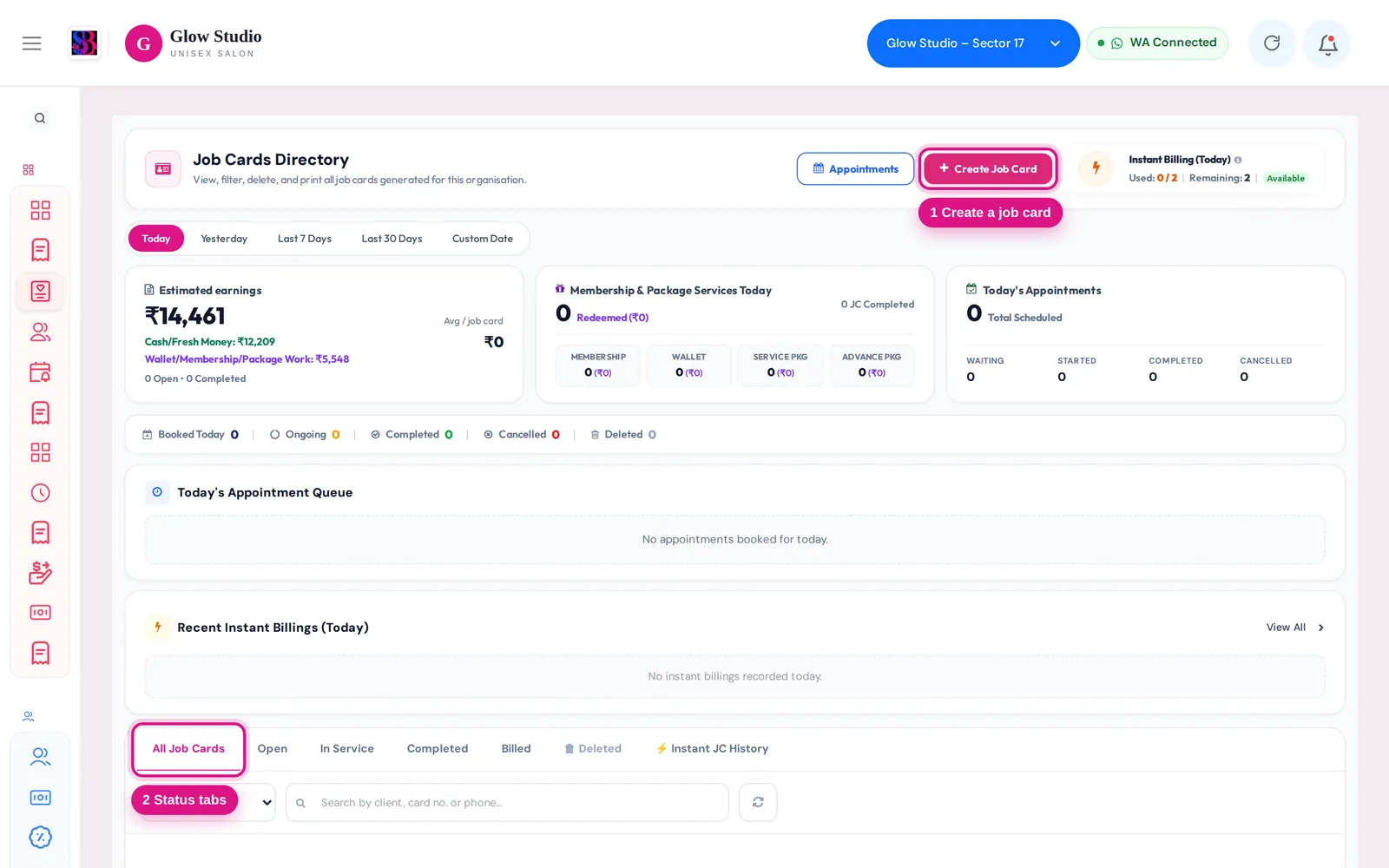
How to use it
- Pick a period at the top: Today, Yesterday, Last 7 Days, Last 30 Days or Custom Date. The bar below shows the counts for Booked, Ongoing, Completed, Cancelled and Deleted.
- Use the tabs to filter: All Job Cards, Open, In Service, Completed, Billed, 🗑 Deleted and ⚡️ Instant JC History.
- To find one card, type a client name, card number or phone number in Search by client, card no. or phone.... Search looks through all dates, not only the selected period.
- Click a card number or the eye icon to see its services, staff, prices and any cancellations.
- Use the buttons on the row:
- Bill Now (or Bill Remaining for a partially billed card) opens billing with the card loaded.
- View Bill opens the invoice of a billed card.
- Edit opens the card. You must give a reason of at least 20 characters.
- The ⋮ menu has Print Job Card, Share on WhatsApp, Send Spin & Win and, where allowed, Clear Open Card.
- The bin icon deletes the card.
Important rules and limits
- Deleting a job card also voids its bill. If the card was billed, that bill is removed together with the card. Loyalty points, wallet, outstanding and package use from that bill are reversed. A reason of at least 20 characters is required.
- Deleting a bill closes its job card. The card moves to Deleted and cannot be billed again, so the same work is never billed twice.
- Clear Open Card is only for a card that was never billed. Its open services are cancelled, a reason of at least 20 characters is needed, and the action is saved in the audit history with your name.
- ⚡️ Instant JC History lists bills that were made directly without waiting for a job card. See Bill a job card.
- The dashboard alert for pending job cards counts only cards still Open or In Service for more than 24 hours. Clicking it shows just those cards.
Common problems
I can see a card on the billing screen but not in the directory?
The directory shows the selected period only. Type the card number or phone number in the search box. Search covers all dates.
"Managers cannot delete a Job Card"?
Ask an Owner/Admin, Co-owner or Accountant to delete it. Managers can still edit cards.
"This job card is marked billed but no invoice is linked to it"?
The bill most likely still exists. Check the customer's invoices before billing again, so you do not make a duplicate bill.
The pending job card count looks wrong?
Last updated